Best DORA Incident Software (2026 Guide)

You already have tickets in one system, emails in another, and incident notes sitting in shared documents that nobody fully trusts. Then someone asks a simple question: if a serious ICT incident happens tomorrow, could your institution classify it properly, coordinate response across teams, and prepare defensible DORA reporting on time? That is usually the moment incident management stops being an IT operations topic and becomes a governance problem.
That is exactly why choosing the right dora incident software matters in 2026. The market is no longer just about logging incidents. Compliance teams, CISOs, risk leaders, and operational managers need software that supports classification, deadlines, approvals, evidence, and reporting readiness in one controlled workflow. Under DORA, expectations have shifted from initial preparation to proof of compliance and ongoing operational resilience. If you need a refresher on what is dora, start there first.
DORApp was built to simplify DORA compliance for EU financial institutions through a modular approach, turning complex regulatory requirements into structured, manageable workflows with audit-ready execution support. In this article, you will see what separates a usable dora incident tool from a generic ticketing system, what features actually matter, and how to evaluate software options without getting lost in vendor language.
Why incident software is now strategic
From a regulatory standpoint, incident handling under DORA is not just about restoring service. You also need consistent classification logic, traceable decisions, reporting discipline, and evidence that your institution can govern the full lifecycle of an ICT incident. That is why incident management software dora buyers should think beyond IT helpdesk functionality.
The reality is that many institutions started with tools built for operational response, not regulatory accountability. Those tools may be fine for assigning technical tasks, but they often struggle with decision journaling, classification rationale, formal review gates, and report preparation. If your teams are still stitching those pieces together manually, you are creating friction exactly where DORA expects control.
If you want the broader legal context, it helps to read both dora regulation explained and digital operational resilience act dora. Those articles make it easier to understand why software requirements now reach beyond technical ticketing.
What many people overlook is that 2026 is less about saying you have a process and more about demonstrating that the process actually works. Supervisory interest is moving toward repeatability, quality of evidence, and whether your records show who knew what, when, and why decisions were made.
What good DORA incident software should do
A strong dora incident software solution should support the full incident lifecycle, from first signal to final closure. In practice, this means more than a queue of events. You need a system that can structure incident intake, enrich records with business context, guide classification, coordinate response tasks, and prepare regulatory reporting outputs without forcing teams into side spreadsheets.
It should connect operations and compliance
Think of it this way, your operations team needs speed, but your compliance team needs defensibility. Good software should support both. It should let teams act quickly while preserving evidence, timestamps, ownership, and approval history. That balance is hard to achieve with generic tools.
It should make classification easier to defend
DORA expects institutions to determine whether an incident meets reporting thresholds based on structured criteria. That means software should help you assess impact consistently and document why a case was treated as major, non-major, or in some cases as a significant cyber threat candidate. For a closer look at this process, see dora incident classification.
It should support reporting discipline
A practical dora incident tool should help your team move from incident record to report-ready submission data with minimal rework. This matters because reporting timelines are tight and information is often incomplete early in the event. Read more in dora incident reporting.
What good reporting outputs should look like
Many buying teams focus on workflows and screens, but the real test is outputs. Under pressure, you need to produce regulator-facing reporting artifacts that are consistent across stages and defensible later. In most institutions, that usually includes initial, intermediate, and final submissions, plus internal management updates that explain what changed and why.
From a practical standpoint, good dora incident software should help you generate submission-ready “packs,” not just a form. A submission pack typically means the report content itself plus supporting items like an evidence list, a clear audit trail of approvals and edits, and decision rationale for classification and threshold calls. If you ever need to explain “what was known when,” these supporting artifacts matter as much as the narrative.
Stage-based reporting should not force you to rebuild reports
Here’s the thing, early-stage incident data is messy. A good tool should handle partial data without breaking reporting structure. That often means you can create an initial submission with controlled placeholders, then progressively enrich the record for intermediate and final reporting without losing the thread of earlier decisions.
When you evaluate tools, ask how they manage changes across reporting stages. You want controlled updates, not silent overwrites. In most cases, that means versioning of submissions, a log of who changed what, and the ability to reproduce previous submissions exactly as they were at the time of sign-off.
What “XBRL-ready” usually means in incident reporting
You will see vendors talk about “XBRL-ready” data. In plain English, that typically means the data is structured enough to be exported in a consistent, machine-readable way, with fields mapped to a stable taxonomy so you are not manually reformatting content each time. It does not automatically mean “one-click compliance,” but it can reduce rework when you need to populate structured templates under time pressure.
For most small business owners and entrepreneurs outside regulated sectors, “structured exports” can sound abstract. In DORA incident reporting, it is very concrete. If your tool captures the same incident facts in consistent fields, such as timelines, impacted services, affected entities, and classification criteria, you can export those fields reliably for reporting and governance.
Evaluation checkpoints for reporting exports
To keep reporting defensible, it helps if the software can support:
Consider this, if your team still needs to copy and paste between systems to prepare these outputs, the software might be tracking incidents, but it is not really supporting DORA incident reporting discipline.
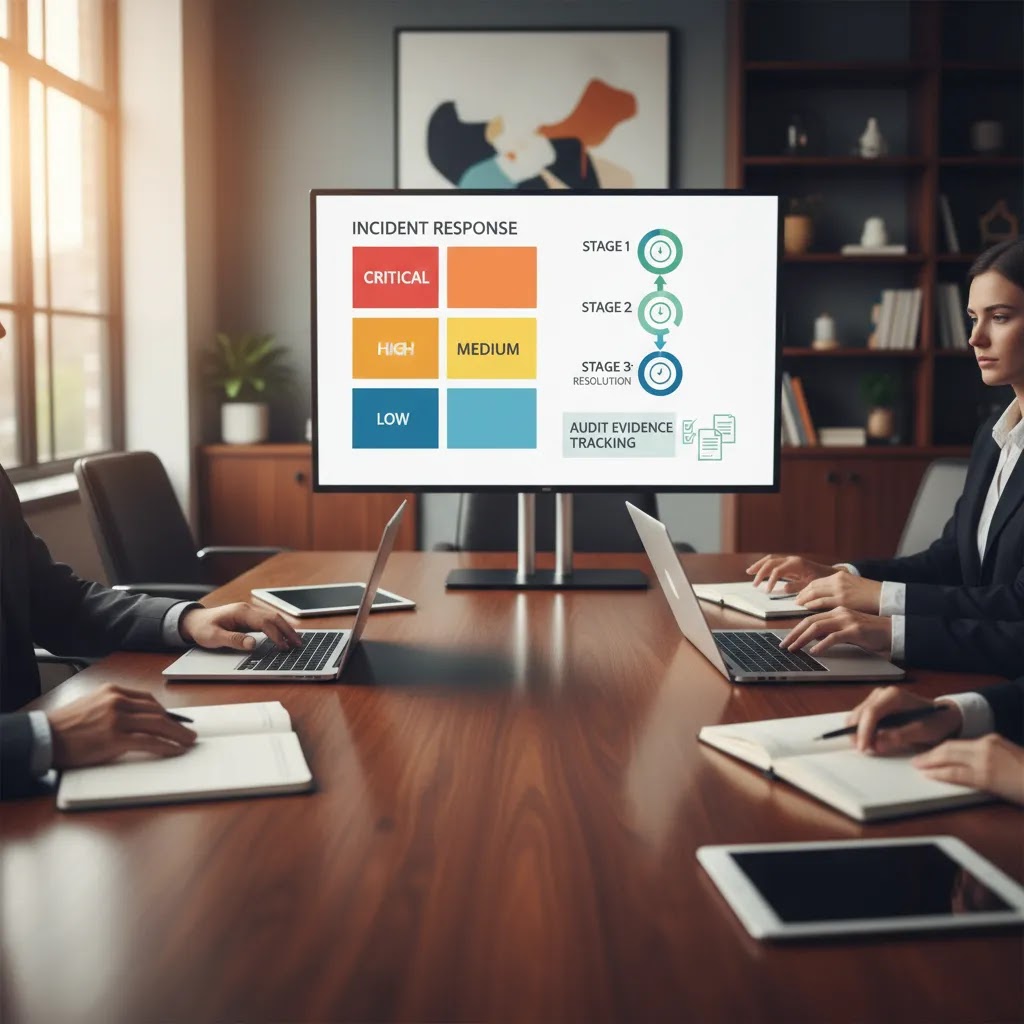
Features that separate real solutions from generic tools
Here is where software evaluation gets real. Many platforms can claim incident workflows. Far fewer are built around DORA-specific control points.
Look for these capabilities first
Now, when it comes to real implementation, context enrichment matters more than many buying teams expect. If the software can connect incidents to services, providers, entities, and contracts, your classification and reporting process becomes faster and more reliable. If it cannot, your team may spend critical hours chasing data across departments.
Platforms like DORApp streamline the incident and broader Register of Information process through modular workflows, intuitive record management, validation support, and reporting-oriented data structures. Based on the available product and documentation data, DORApp includes modules for Register of Information, Third-Party Risk Management, Incident Management, and planned additional modules for ICT risk governance and information sharing, which may matter if you want connected compliance operations rather than isolated point tools.
Incident metrics and governance dashboards to expect under DORA
Dashboards are often pitched as “nice to have,” but under DORA they can become part of how you demonstrate operational resilience governance. The key is not flashy charts, it is traceable metrics that match how incidents actually move through your process.
People sometimes ask, “What are the 5 DORA metrics?” DORA does not hand you a simple, universal list of five mandatory KPIs for every institution. Still, most governance teams tend to converge on a practical set of incident program signals that software should support and that senior management can understand.
A practical set of incident program metrics software should support
In most cases, you will want metrics that reflect speed, control, and learning. For example:
Think of it this way, these are not just operational stats. They are governance signals that tell you where your resilience program may be strong and where it may be exposed.
Metrics should connect to workflow proof, not just outcomes
Good governance dashboards also show whether the process is under control. That often includes overdue actions, approval bottlenecks, repeated incidents linked to the same service or provider, and reporting timeliness by stage. If you cannot see where incidents are “stuck,” it is hard to improve the process, and it is harder to explain it during reviews.
Drill-down matters for audits and internal challenge
What many people overlook is that dashboard numbers are only as defensible as the underlying records. Under scrutiny, you may be asked how a metric was calculated, what data it came from, and whether the incident record supports it. That is why a useful dora incident tool should let you drill down from a metric into the exact incidents, timestamps, approvals, and evidence behind it. If a dashboard is disconnected from real records, it can create confidence on the surface but friction in audits.
If you want your governance view to stay useful over time, look for software where metrics are a byproduct of structured workflows, not an extra reporting layer built on top of free-text tickets.
How to compare software options practically
If you are shortlisting tools, avoid broad sales questions like “Is this DORA-ready?” Ask workflow questions instead. The answers will tell you far more.
Questions worth asking vendors
Consider this, the best tool for your institution is not always the one with the longest feature list. It is the one that matches your operating model. A smaller payment institution may need fast adoption, guided workflows, and minimal admin overhead. A larger banking group may care more about role segregation, approval structures, and entity-level reporting control.
If you want additional context on regulatory structure, the category pages for Incident Reporting and DORA Fundamentals are useful places to continue your review. You may also find value in DORA Pillars Explained: Complete Breakdown (2026) and DORA European Commission Timeline and History (2026) if you need internal background material for stakeholders.
If you want to quantify the business case behind process improvements, run a quick ROI health check before you finalize procurement assumptions.

Build vs buy: using ITSM and GRC platforms for DORA incident workflows
Some institutions prefer to configure an existing ITSM or GRC platform rather than adopting specialized dora incident software. That approach can work in some cases, especially if you already have a mature platform team and a clear internal data model. The difference often comes down to how much DORA-specific reporting discipline you can realistically build and maintain.
What tends to work well with a configured general platform
A general ITSM or GRC platform can be a good fit if you need deep integration into existing service management, change management, and identity and access practices. You may also benefit from centralized user administration, standardized workflows across teams, and existing reporting infrastructure.
Where gaps often appear for DORA incident workflows
Under DORA, incident handling is not only “log and resolve.” It is classify, justify, report in stages, preserve evidence, and show governance. In many configurations, gaps show up in areas like:
None of these gaps are impossible to address, but they often require careful design and ongoing attention. If your incident process is a cross-functional workflow involving IT, risk, compliance, and business owners, small configuration shortcuts can become big operational pain during a real event.
A configuration reality check before you commit
Before you decide to build, it helps to be honest about the effort. A typical reality check includes:
The reality is that “we can configure it” is not the same as “we can operate it under pressure.”
A simple procurement test that reveals real fit
If you are evaluating any tool, configured or specialized, run a tabletop incident scenario in the demo using incomplete early-stage data. Ask the vendor to produce a report-ready output anyway, then show how the tool tracks changes as new facts emerge. If the platform only works when the record is perfect, it may not help you when you actually need it.
Where DORApp fits
DORApp is one option worth examining if you want software built specifically around DORA processes rather than a generic governance overlay. Verified product data shows dedicated pages for DORApp Modules, Functions, Pricing, a Help Center, a 14-day free trial, and demo booking. Documentation also indicates a modular structure covering Register of Information, Third-Party Risk Management, Incident Management, and related compliance workflows.
From a practical standpoint, that modular model may suit institutions that want to start with one urgent area and expand later. Documentation also points to workflow controls, validation layers, audit logs, reporting support, role-based approvals, and integration between incident, third-party, and register data. With features like automated workflows, non-blocking validation in some process stages, a reporting-oriented data model, and full-text search across records as described in available materials, DORApp allows teams to start working with imperfect data while still improving control quality over time.
There are commercial details in the knowledge base, but because public pricing specifics were not confirmed in the product tool output beyond the existence of a pricing page, it is safer to review them directly on the official site. If you want a hands-on conversation, you can book a DORA compliance demo. If you prefer to test fit first, you can create your DORApp account through the 14-day trial flow.
Founder context also matters here. Dorapp content is shaped by Matevž Rostaher's background across FinTech, InsurTech, and RegTech, which helps explain the platform's focus on practical, institution-facing workflows rather than abstract compliance theory.
Common buying mistakes
The most common mistake is choosing a tool that handles tickets well but governance poorly. If your platform cannot show review history, classification rationale, ownership, escalation, and reporting readiness in one place, your teams will likely rebuild those controls outside the system.
Another mistake is separating incident software from the rest of your DORA data model. Under DORA, incidents, third-party arrangements, critical services, and legal entities are connected. If your incident platform cannot access that context, your process may be slower and less reliable than it needs to be.
A third mistake is overbuying. Some institutions assume they need a massive enterprise GRC deployment when what they really need is a focused workflow with clear controls. The reality is that adoption matters as much as design. The best dora incident software is the one your operations, risk, and compliance teams will actually use consistently.
Finally, do not treat demos as theater. Ask to see a realistic incident journey: record creation, impact assessment, classification, approvals, report drafting, and post-incident action tracking. That will tell you more than polished dashboard screenshots.
Disclaimer: The information in this article is intended for general informational and educational purposes only. It does not constitute professional technical, legal, financial, or regulatory advice. Website performance outcomes, platform capabilities, and business results will vary depending on your specific circumstances, goals, and implementation. Always evaluate tools and platforms based on your own needs and, where relevant, seek professional guidance.
Regulatory note: This article is for informational purposes only and does not constitute financial, legal, or regulatory advice. DORA compliance requirements may vary based on your institution type, size, and national regulatory framework. Content referencing regulated industries is provided for general context only and should not be interpreted as legal, regulatory, compliance, or financial advice. If you operate in a regulated sector, always consult qualified financial, legal, and compliance professionals for guidance specific to your situation.

Frequently Asked Questions
What is dora incident software?
Dora incident software is a platform used by financial institutions to manage ICT incidents in a way that supports DORA-related governance and reporting needs. A strong solution typically helps you record incidents, assess impact, classify severity, coordinate response tasks, preserve evidence, and prepare reporting outputs. The key difference from a normal IT ticketing tool is that it should support defensible compliance workflows, not just operational issue tracking.
Is a normal ITSM or helpdesk tool enough for DORA?
It may be enough for technical response in some organizations, but often not enough on its own for DORA governance needs. Many ITSM tools are good at assigning tickets and tracking technical work. They may be less effective for formal classification logic, maker-checker approvals, regulatory reporting stages, and audit-ready evidence trails. Some institutions can bridge the gap with custom configuration, but that usually increases complexity and reliance on manual workarounds.
What should a DORA incident tool include at minimum?
At minimum, you should expect structured incident intake, impact assessment fields, classification support, response workflow management, evidence capture, deadline visibility, and an audit trail. It is also very useful if the software can link incidents to third-party providers, business services, entities, and contracts. Those connections reduce manual work and improve reporting quality. If those links are missing, your team may end up reconstructing critical context under time pressure.
Does DORA require specific software?
No, DORA does not require institutions to buy a specific named software platform. What matters is your ability to meet the regulatory requirements in practice. That said, software choices can strongly affect whether your process is scalable, consistent, and easy to evidence. In 2026, supervisory focus is increasingly on proof of compliance, so having a controlled system may make your operating model easier to defend than relying on fragmented spreadsheets and email chains.
How important is incident classification support in software selection?
It is one of the most important areas to evaluate. Classification decisions affect whether an incident becomes reportable, how urgently teams respond, and how well your institution can justify its conclusions later. Good software should support consistent criteria-based assessment, not just free-text commentary. It should also allow rationale capture, review, and where necessary controlled overrides. If a vendor cannot show that flow clearly, the tool may create more ambiguity than clarity.
Can smaller financial institutions use specialized DORA software too?
Yes, and in many cases they may benefit even more because smaller teams usually have less capacity for manual coordination. The best-fit solution for a smaller institution is often one that is focused, guided, and efficient rather than massively customizable. You want enough control to satisfy governance needs, but not a months-long implementation project. That is one reason modular tools can be attractive, especially if you need to start with incident workflows and expand later.
How does DORApp approach incident management?
Based on verified product and documentation data, DORApp approaches DORA compliance through modular workflows, with Incident Management as one of the core modules in its platform roadmap and documentation. Available materials describe support for incident intake, impact assessment, classification, reporting stages, task orchestration, evidence handling, and audit trail visibility. As with any platform review, you should confirm the current production scope directly with Dorapp during a demo or trial before making procurement decisions.
Should incident software also connect with third-party risk and Register of Information data?
Usually yes. Under DORA, incidents rarely exist in isolation. You may need to know which provider, service, contract, entity, or critical function is affected before you can classify and report properly. Software that connects those data points can reduce delays and improve consistency. This is especially important where third-party dependencies are involved, because your reporting and post-incident remediation may depend on information that sits outside the incident record itself.
What is the best way to evaluate a vendor demo?
Ask the vendor to walk through a realistic end-to-end scenario, not just dashboards. You should see incident creation, enrichment, impact capture, classification, approval routing, report drafting, evidence upload, and post-incident actions. Pay attention to who can do what, what gets logged automatically, and whether the tool still works when some data is missing early in the process. A practical workflow demo is usually more revealing than a feature checklist.
What next step makes sense if we are actively comparing tools?
Start by mapping your current process on one page: incident intake, classification, reporting, approvals, evidence, and post-incident review. Then compare tools against that workflow instead of comparing marketing pages. If DORApp is on your shortlist, the most practical next step is to request a demo or test the trial environment so your compliance, risk, and IT stakeholders can evaluate real fit together. That tends to surface gaps quickly and productively.
What is DORA incident reporting?
DORA incident reporting is the controlled process of preparing and submitting information about major ICT-related incidents to the relevant authorities, typically through staged submissions such as initial, intermediate, and final reports. In practice, it also includes internal governance updates, approvals, and evidence preservation so your institution can justify classification decisions and demonstrate reporting timeliness. Exact requirements can vary by institution type and supervisory expectations, so it is wise to confirm details with your compliance and legal teams.
What is the best incident management software?
The best incident management software is the one that matches your operating model and produces defensible outputs under pressure. For DORA-focused use cases, that typically means structured intake, impact assessment, classification rationale, stage-based reporting support, maker-checker approvals, audit trails, and evidence packaging. A tool can look strong in a demo, but the best test is whether it still works when early incident data is incomplete and deadlines are close.
Is ServiceNow DORA compliant?
Some institutions use ServiceNow as part of their incident and governance stack, but “DORA compliant” is not usually a simple yes or no for any platform. DORA compliance depends on how your processes are designed, configured, operated, and evidenced, including classification, approvals, audit trails, reporting stages, and data quality. If you are evaluating an ITSM or GRC platform for DORA incident workflows, ask the vendor and your internal platform team to demonstrate a full staged reporting scenario with traceable decision rationale and reproducible submission versions.
What are the 5 DORA metrics?
DORA does not typically provide a universal official list of five incident KPIs that applies to every institution. Still, many teams track a practical set of five governance metrics to show speed and control, such as time to detect, time to classify, time to contain or restore, time to notify or report, and recurrence and closure rates for root cause actions. What matters most is that the metrics are traceable to underlying incident records, approvals, and timestamps, so they are defensible in internal challenge and audits.
Key Takeaways
Conclusion
Choosing the best dora incident software is really about choosing how your institution will operate under pressure. You need a tool that helps people act quickly, but also leaves behind a clear, reviewable record of impact, decisions, approvals, and reporting steps. That is the difference between a system that supports resilience and one that only records activity after the fact.
Here is the practical takeaway: evaluate software against your real incident lifecycle, not generic feature claims. Look for connected data, defensible classification, reporting support, workflow control, and audit visibility. If a platform cannot show that journey clearly, it may not reduce your compliance burden in practice.
If you are comparing options now, DORApp is worth exploring for its DORA-focused, modular approach and its emphasis on structured, auditable workflows for financial institutions. You can start by creating your DORApp account for the 14-day trial or booking a DORA compliance demo to see how the platform approaches incident management in a real operational context.
About the Author
Matevž Rostaher is Co-Founder and Product Owner of DORApp. He brings deep experience in building secure and compliant ICT solutions for the financial sector and is positioned by DORApp as an expert trusted by financial institutions on complex regulatory and operational challenges. DORApp’s own webinar materials list him as CEO and Co-Founder of Skupina Novum d.o.o. and CEO and Co-Founder of FJA OdaTeam d.o.o. His articles should carry the voice of someone who understands not just compliance requirements, but the systems and delivery realities behind them.