DORA Automated Reporting vs Manual Reporting (2026)

You classify an ICT incident late in the afternoon. Operations wants containment updates, legal wants facts, compliance wants deadlines, and management wants to know whether this could become a reportable DORA event. At that moment, the difference between a manual reporting process and an automated one becomes very real. It is not just about convenience. It is about whether your team can move quickly without losing traceability, consistency, or control.
That is why dora automated reporting has become a serious buying and operating question in 2026. Many financial entities met the initial DORA deadline on paper, but regulators are now moving from initial compliance to proof of compliance. They want to see that your incident process works under pressure, not only in policy documents. If you still rely on spreadsheets, email chains, and last-minute document assembly, the process may hold together for a minor event, but major incidents can expose every weak point.
DORApp was built to simplify DORA compliance for EU financial institutions through a modular approach, helping teams turn dense requirements into structured workflows. If you are still deciding whether to keep reporting manual, partially automate it, or move to a dedicated platform, this comparison will help you evaluate the tradeoffs clearly.
If you are ready to explore the platform hands-on, you can create an account to get started.
Why this decision matters more in 2026
If you need a refresher on what is dora, start there first. The short version is that the Digital Operational Resilience Act, Regulation (EU) 2022/2554, applies from January 17, 2025 and expects financial entities to manage ICT risk, report major incidents, test resilience, oversee third parties, and support information sharing.
In 2026, the practical challenge is different from 2025. Last year was about getting processes in place. This year is about showing they work repeatedly, under deadlines, with clean evidence and defensible decisions. From a regulatory standpoint, that means incident reporting is no longer a side activity handled by a heroic compliance effort at the last minute.
Consider this, incident reporting sits at the intersection of operations, legal review, classification logic, management oversight, and external communication. A manual process can break because one person is unavailable, one spreadsheet is outdated, or one business service is linked to the wrong provider. A more automated process may reduce those failure points by structuring inputs, validation, approvals, and export steps before the pressure spikes.
For broader context, Dorapp regularly covers topics across Incident Reporting and Digital Operational Resilience, because institutions now need operating discipline, not just policy documentation.
DORA incident reporting requirements: what is actually reportable
Most teams do not struggle with the idea of reporting. They struggle with the first 30 to 90 minutes, when you have partial facts and high pressure. Someone asks: is this reportable under DORA, or not? That question is usually answered through your internal classification logic, aligned to DORA and the related technical standards, but it still comes down to practical triggers.
From a practical standpoint, a DORA major or reportable incident is typically one where the impact is no longer local or contained. It could involve significant service disruption, material degradation of service quality, a large set of clients affected, serious data availability or integrity concerns, or operational and financial impact that management would reasonably treat as material. It also often includes incidents that spread across critical business services, or incidents where you cannot confidently rule out broader impact early on.
Here is the thing, reportability is not only about what happened technically. It is also about what the incident means for your ability to deliver regulated services and protect customers. That is why internal classification usually needs both technology inputs and business impact inputs, not just a security severity label.
How reporting typically unfolds in stages
Even well-run incidents mature over time. Early reporting is usually based on what you know, what you suspect, and what you are doing to contain the situation. Later reporting is where you add confirmed root cause, deeper impact analysis, and long-term remediation.
In most DORA-aligned reporting setups, teams capture information in phases:
What many people overlook is that the hardest part is not writing the final report. It is keeping the record coherent across these stages while facts change. That is where dora incident automation can help in a very practical way: structured capture from the beginning, consistent classification inputs, and fewer rework loops when early assumptions get corrected. Instead of rewriting the same incident story in three separate documents, you are typically updating one governed record that produces the outputs you need as it matures.
If you want the detailed DORA context and how institutions frame these decisions, the related guides on dora incident reporting and dora incident classification are the right companion reads.
What manual reporting actually looks like
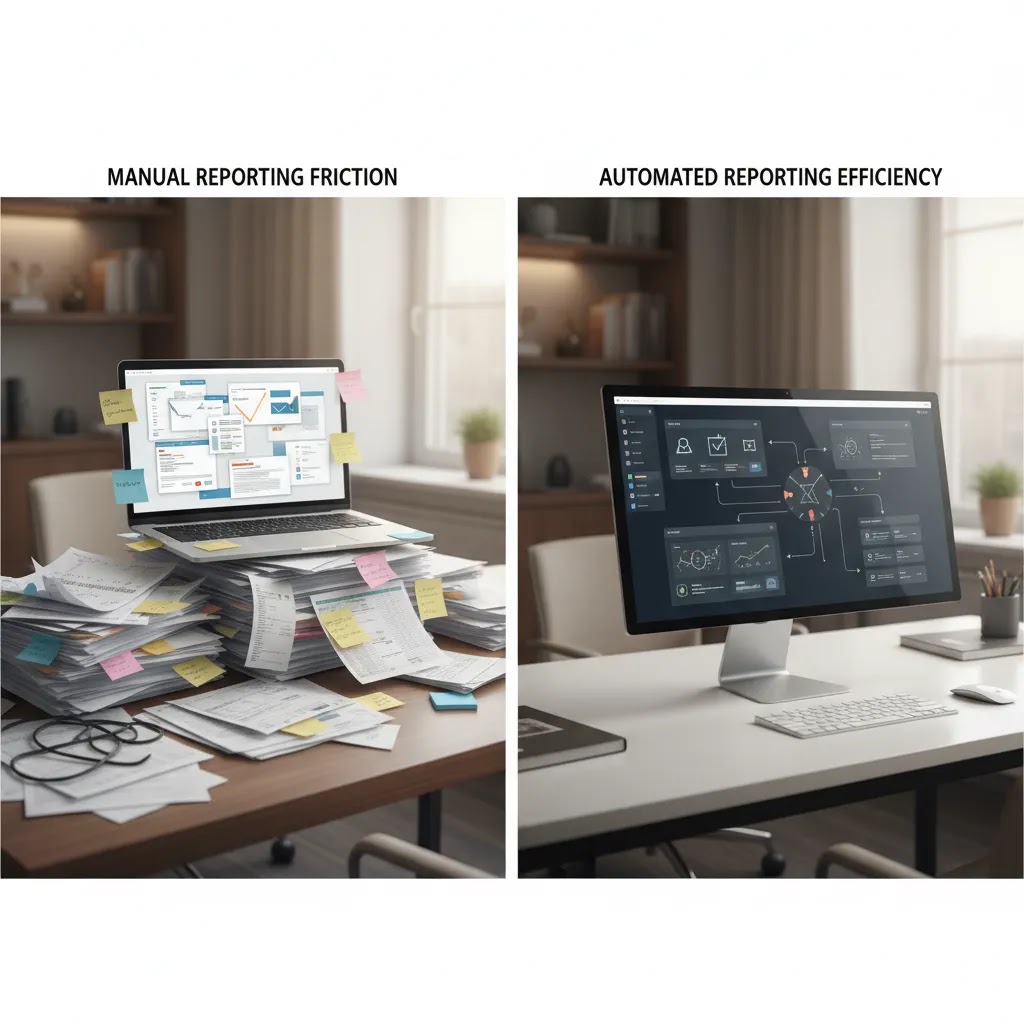
Manual reporting usually does not mean your team is careless. It typically means the process depends on general-purpose tools rather than a dedicated reporting workflow. The incident starts in one system, impact data sits somewhere else, provider details live in procurement files, and the reporting draft is assembled in a document or spreadsheet by hand.
Common manual steps
In many institutions, the workflow looks something like this:
That can work, especially in smaller firms with low incident volume. But the reality is that manual reporting often creates hidden dependency risk. Knowledge sits with a few people. Data fields get interpreted differently. Timelines are tracked manually. If a material fact changes after the first draft, updates may need to be re-entered across multiple files.
What many people overlook is that manual processes often look acceptable in a calm week. They become fragile during a live event, which is exactly when DORA expects your controls to hold up.

What automated reporting changes in practice
Dora incident automation does not mean handing regulatory judgment to software. Your institution still needs human ownership, governance, and sign-off. Automation changes how information is gathered, validated, routed, and prepared for submission.
What automation usually improves
In practice, this means a stronger process in four places:
Platforms like DORApp streamline the Register of Information process through a five-step approach that includes importing existing data, managing it in an interface, enriching records from public sources, validating against rules, and generating compliant outputs. The same logic matters for incidents too, because clean source data and controlled workflows make faster reporting possible.
According to the available DORApp documentation, its Incident Management module supports structured incident records, classification workflows, response orchestration, evidence handling, dashboards, and staged reporting for Initial, Intermediate, and Final reports. The platform also supports maker-checker approval logic, audit trails, and reporting templates tied to DORA processes. That is different from saying automation replaces compliance judgment. It supports the process around that judgment.
If you want the regulatory baseline before comparing tooling, read dora incident reporting and dora regulation explained.
Manual vs automated, where the real differences show up
The easiest mistake is to compare manual and automated reporting only on speed. Speed matters, but it is only one part of the picture.
1. Data quality under pressure
Manual reporting depends heavily on whether people remember the right fields and can find the right source quickly. Automated workflows can enforce required fields, preserve timestamps, and reduce duplicate entry. That may improve reporting consistency, especially when the same incident evolves across several reporting stages.
2. Classification defensibility
Under DORA, classification decisions need to be explainable. Think of it this way, regulators are not only interested in what you reported. They may also care why you classified an event the way you did, what information you had at the time, and who approved the decision. Automated workflows often preserve that decision trail better than scattered emails and meeting notes.
3. Deadline management
Manual teams often track deadlines with spreadsheets or personal reminders. That may be enough until a complex incident creates several competing timelines. A stronger automated setup can show deadline status in real time, escalate when fields are missing, and reduce the risk that a reporting stage stalls because no one noticed an approval bottleneck.
4. Auditability and evidence
This is where dora reporting automation often proves its value. Regulators and internal audit functions usually want a clear chain of evidence: who changed what, when, based on which facts, and under which control. Manual processes can provide this, but usually at higher effort and with more reconstruction after the event.
5. Repeatability across the organization
From a practical standpoint, automation matters most when you need repeatability across multiple legal entities, business lines, or jurisdictions. If every incident is handled slightly differently, your process may still work, but it is harder to prove that it is governed. That is one reason 2026 is increasingly about resilience as ongoing operations, not just initial project delivery.
For a broader legal and structural view, see digital operational resilience act dora and the related background in DORA European Commission Timeline and History (2026).
Third-party ICT risk and the Register of Information: why incident automation depends on vendor data quality
Manual versus automated reporting also looks very different once third parties enter the picture. In many institutions, major incidents are not cleanly “internal.” They may involve a cloud provider, a managed service, a payment processor, a connectivity supplier, a core banking vendor, or a chain of subcontractors. Under DORA, oversight of third-party ICT risk is not optional, and incident reporting often depends on knowing exactly what service and provider are involved.
This is where the Register of Information stops being a separate compliance exercise and starts becoming operational. During an incident, teams typically need to answer questions such as: which ICT service supports the impacted business service, who provides it, what contract covers it, how critical it is, and which internal owner can confirm the facts. If those details live in disconnected spreadsheets or procurement folders, incident reporting often slows down at the exact moment when deadlines tighten.
Why weak vendor records create rework
When third-party records are incomplete, the incident workflow usually gets stuck in predictable places:
Automation helps most when it connects incident records to a maintained service and third-party inventory. That does not mean you need perfect data on day one. It does mean you need a controlled place to link an incident to a provider and service, and a habit of keeping those reference records current. If your workflow forces that linkage early, your reporting stages often become easier to update as facts mature.
Consider this, good incident reporting is often a data quality story. Strong automation reduces manual copy-paste. Strong vendor records reduce uncertainty and back-and-forth. Together, they can make the difference between a report that is defensible from the start and a report that needs constant reconstruction.
When manual reporting may still work
It is worth being honest here. Manual reporting is not automatically wrong.
If you are a smaller regulated entity with low incident volume, strong documentation discipline, experienced staff, and a clearly rehearsed escalation path, a manual or semi-manual model may still be workable. That is especially true if your classification cases are straightforward and your data environment is relatively simple.
But there are warning signs that manual reporting may no longer be enough:
Here is the thing, the move to automation is rarely about replacing competent staff. It is usually about reducing operational friction around competent staff so they can focus on judgment, not administration.
DORApp reflects that operating model. Based on the verified product and documentation data, it offers modular functionality around DORA workflows, reporting, help resources, and demo or trial paths. Its documentation also describes non-blocking validation, full-text search, audit trails, and structured workflow controls that can help teams start with imperfect data and improve it inside the process.
What to evaluate before choosing automation
If you are comparing tools, do not stop at the phrase automation. Ask how the process actually works in the messy middle of a live incident.
Questions worth asking vendors or internal teams
With features such as automated workflows, validation controls, structured reporting outputs, and a data model designed to convert to XBRL, DORApp is one platform worth evaluating if you want a more governed operating model. You can also review the wider context in DORA Pillars Explained: Complete Breakdown (2026) and Dorapp’s content categories on Incident Reporting.
Now, when it comes to buying decisions, keep your scope realistic. You may not need full enterprise orchestration on day one. But you probably do need a process that is more controlled than inboxes, file shares, and manually maintained templates.
If your broader resilience program is also evolving, this is where what is digital resilience becomes relevant. Incident reporting quality often reflects the maturity of your underlying resilience model.
If you want a quick, practical benchmark of where automation would deliver the biggest return, you can run a ROI health check to assess readiness and data quality gaps.
A practical DORA automation readiness checklist
Before you automate, it helps to standardize the minimum operating model you want the tool to enforce. Otherwise, you can end up with “automation” that still relies on manual data collection and unclear ownership, just in a different user interface.
People and accountability
In most institutions, readiness starts with roles that are clear under pressure:
If these roles exist only on paper, the workflow often collapses into chat messages and ad hoc meetings during a real incident.
Process steps to standardize before tooling
Automation works best when your core steps are consistent. A lightweight baseline is usually enough to start:
What good looks like day to day is not perfection, it is repeatability. If the steps are consistent, teams can practice them, audit can test them, and reporting outputs can be produced without rebuilding the story each time.
Data sources and integrations you will probably need
Even with a strong workflow, the process can still be slow if key inputs are scattered. Most teams benefit from identifying, at minimum, where these data points will come from:
A common pitfall is buying a reporting tool but still collecting half the fields manually from other teams because the ownership and data sources were never agreed. Another pitfall is letting third-party records drift, so every incident triggers a vendor data cleanup exercise.
Keep it usable during high-pressure incidents
The reality is that good workflows are rehearsed. Tabletop exercises, even lightweight ones, often reveal whether your reporting steps are usable when people are tired, facts are incomplete, and decisions need to be escalated fast. Evidence retention habits also matter. If your process prompts teams to capture key artifacts as they work, you typically avoid a painful evidence scramble weeks later.
If you are evaluating DORApp or any comparable workflow approach, consider asking for a walk-through using one of your own past incidents. That is usually the quickest way to see whether the system supports realistic operating pressure, not just a clean demo scenario.
Disclaimer: The information in this article is intended for general informational and educational purposes only. It does not constitute professional technical, legal, financial, or regulatory advice. Website performance outcomes, platform capabilities, and business results will vary depending on your specific circumstances, goals, and implementation. Always evaluate tools and platforms based on your own needs and, where relevant, seek professional guidance.
This article is for informational purposes only and does not constitute financial, legal, or regulatory advice. DORA compliance requirements may vary based on your institution type, size, and national regulatory framework. Content referencing regulated industries is provided for general context only and should not be interpreted as legal, regulatory, compliance, or financial advice. If you operate in a regulated sector, always consult qualified financial, legal, and compliance professionals for guidance specific to your situation.
Frequently Asked Questions
What is the main benefit of DORA automated reporting?
The main benefit is not just speed. It is process control under pressure. Automated reporting can help your team capture structured incident data, route tasks to the right people, flag missing information early, and preserve an audit trail of decisions and approvals. That may reduce the operational risk created by spreadsheets, email chains, and manual copy-paste work. Human judgment still matters, especially for classification and sign-off, but automation can make that judgment easier to apply consistently and evidence later.
Does DORA require institutions to automate incident reporting?
No, DORA requires compliant outcomes and governed processes, not a specific software model. You are not required to buy a platform simply because DORA exists. That said, many institutions find automation helpful because reporting sits across several teams and time-sensitive decisions. If your manual process is slow, hard to evidence, or dependent on a few people, regulators may still expect you to improve it. The question is less “Is automation mandatory?” and more “Can your current process reliably support timely, accurate reporting?”
Can a small financial entity still use a manual process?
Yes, in some cases. A smaller institution with low incident volume, experienced personnel, and strong documentation discipline may still manage reporting manually or semi-manually. The tradeoff is resilience under stress. Manual models tend to be more person-dependent and harder to scale across complex incidents. If your organization has several legal entities, frequent third-party dependencies, or limited compliance bandwidth, even a smaller entity may benefit from a more structured tool-supported workflow.
What parts of incident reporting are safest to automate?
The safest areas to automate are structured and repeatable tasks: incident intake, required field checks, deadline monitoring, routing to owners and approvers, evidence collection prompts, and report generation from approved source data. These are administrative controls, not legal judgments. Classification decisions, regulatory interpretation, and final approval should usually remain under accountable human review. A good design supports people with workflow and validation, rather than pretending software can replace internal governance.
How does automation help with major incident deadlines?
Automation may help by tracking awareness time, classification milestones, reporting stage readiness, and approval status in one workflow. Instead of relying on people to notice every deadline manually, the system can highlight bottlenecks and alert the right users when action is needed. That does not eliminate the need for trained staff, but it can reduce avoidable delay. This matters because DORA incident timelines can become operationally difficult when facts evolve quickly and several teams need to coordinate at once.
Is XBRL relevant for DORA incident reporting decisions?
XBRL is especially central to DORA Register of Information submissions, and structured reporting capabilities matter more broadly because they affect data quality and technical readiness. Even where incident reporting workflows involve additional templates or authority-specific requirements, institutions still benefit from governed data structures and export logic. If your source data is inconsistent, the final format becomes harder to produce accurately. That is why platforms that organize data well often support compliance processes beyond one reporting obligation.
What should compliance teams ask before buying an automation platform?
Ask how the platform handles validation, approvals, audit trails, evidence retention, role segregation, and connections to third-party or service inventory data. You should also ask how it supports incomplete data during a live incident, because real reporting rarely starts with perfect facts. If the platform only looks polished in a demo but breaks when the incident evolves, it may not help much. The strongest options typically support both operational flexibility and controlled regulatory outputs.
How is DORApp positioned in this area?
Based on the verified product pages and documentation provided, DORApp is a modular DORA compliance platform with functions for reporting workflows, help resources, demo access, and a 14-day trial path. Its materials describe incident management capabilities such as structured records, classification support, response task coordination, audit trail, staged reporting, and controlled approvals. That makes it relevant for institutions evaluating a shift from manual reporting to a more governed operating model. You can explore that fit in more detail through the product pages or a demo.
What is the biggest weakness of manual reporting?
The biggest weakness is usually inconsistency. Not because teams do not care, but because the process relies on memory, coordination, and repeated manual handling of the same facts. Under pressure, that can lead to missing timestamps, conflicting versions, weak evidence chains, or slow approvals. A manual process may look manageable until a significant incident tests it. At that point, weaknesses that felt minor in normal operations can become material from both a compliance and governance perspective.
What is a sensible next step if we are unsure whether to automate?
Map one recent incident from intake to final closure and identify where people re-entered data, waited for approvals, searched for evidence, or rebuilt reporting drafts. That usually shows whether your issue is isolated friction or a deeper workflow problem. If several steps depend on manual coordination, a partial or full automation approach may be worth evaluating. If you want a practical benchmark, you can book a DORA compliance demo to see how a structured workflow compares with your current process.
What are the requirements for DORA incident reporting?
DORA expects financial entities to have a governed process to identify, manage, classify, and report major ICT-related incidents to the relevant competent authorities. In practice, that usually means you need a way to capture incident timelines and impacts consistently, apply a defensible classification approach, meet staged reporting expectations (often Initial, Intermediate, and Final), and preserve evidence and approvals. Exact details and thresholds may vary by entity type and supervisory expectations, so it is wise to align your internal process with your legal and compliance teams.
What is reportable under DORA?
Reportable events are typically ICT-related incidents that meet your criteria for being “major,” based on impact. That impact is often framed around service disruption or degradation, the number of clients affected, the duration and geographic spread, data availability or integrity issues, and whether critical business services are involved. Third-party involvement can also be a factor, because provider outages or breaches may materially affect your ability to deliver services. The safest operational approach is usually to run a structured classification workflow early, then update as facts mature, rather than waiting for perfect information.
What are the 4 key DORA metrics?
This question is commonly asked because “DORA metrics” can refer to two different things. For the EU Digital Operational Resilience Act (DORA), there is not a universal set of “four metrics” that applies to every institution in the same way. Teams typically track operational indicators that support classification and reporting, such as awareness time, service downtime duration, client impact levels, and recovery milestones, but your exact metrics should match your business services and supervisory expectations.
What are the 5 key metrics of DORA?
Some search results use “DORA metrics” to mean the DevOps Research and Assessment (DORA) metrics, which are not part of the EU regulation. Those five are commonly listed as deployment frequency, lead time for changes, change failure rate, mean time to restore, and reliability or availability. If you are reading this article for EU DORA compliance, treat those as software delivery metrics that may inform engineering performance, not as regulatory incident reporting requirements.
Key Takeaways
Conclusion
Automated versus manual reporting is really a question about operational maturity. If your current process gives you confidence that incidents can be classified, documented, approved, and reported without confusion, you may not need a complete overhaul right away. But if your reporting process depends on heroics, fragmented data, or post-event reconstruction, that is usually a sign the model has reached its limit.
The reality is that DORA incident reporting is not just a compliance paperwork issue. It reflects how well your institution coordinates facts, decisions, and accountability during disruption. That is why more teams are reassessing manual methods in 2026 and looking for tools that support repeatability, cleaner evidence, and less administrative friction.
If you want to compare your current process against a more structured model, DORApp is one option worth exploring. You can learn more through the Dorapp platform, review related articles on the blog, or book a demo to see how a modular DORA workflow may fit your institution.
About the Author
Matevž Rostaher is Co-Founder and Product Owner of DORApp. He brings deep experience in building secure and compliant ICT solutions for the financial sector and is positioned by DORApp as an expert trusted by financial institutions on complex regulatory and operational challenges. DORApp’s own webinar materials list him as CEO and Co-Founder of Skupina Novum d.o.o. and CEO and Co-Founder of FJA OdaTeam d.o.o. His articles should carry the voice of someone who understands not just compliance requirements, but the systems and delivery realities behind them.